


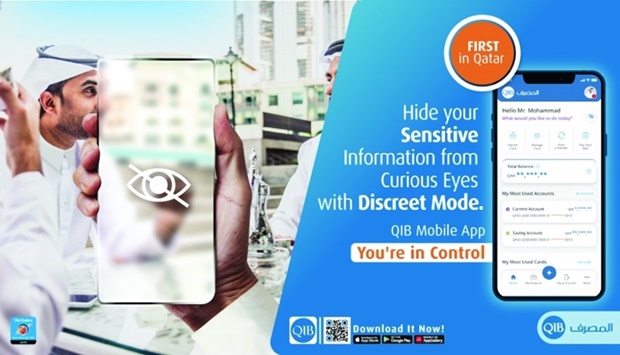
Qatar Islamic Bank (QIB) has announced the launch of a new, "first-of-its-kind" ‘Discreet Mode’ feature on its mobile app.
The new, innovative feature allows QIB customers to hide their account and card balances, deposits and financial details when using the QIB mobile app in public locations, according to a press staetement.
The new feature provides QIB mobile app users with more convenience when using the app in public locations, such as in the Metro or a busy cafe. The ‘Discreet Mode’ lets QIB customers view and manage their accounts while their sensitive data is masked.
There are many ways to enable the Discreet Mode. Before logging in, customers can enable the Discreet Mode from the login screen to mask the information immediately after logging in.
Once logged into their accounts, customers can press on the ‘eye’ icon to mask/reveal their information and they can repeat the process in exactly the same way to return to normal view. Customers can always go to the app setting to enable or disable the discreet mode at any point in time.
D Anand, QIB general manager – Personal Banking Group, said: “We are happy to introduce this new feature, which will guarantee more protection and privacy for our customers when they use QIB mobile app in public settings further enabling them to be in control of their finances. We are always looking at the ways innovation can make banking safer and easier.
“At QIB, we are committed to implementing new and innovative products, services, solutions, and features that will elevate our customers’ banking experience and increase their convenience.”
The all-new QIB mobile app features easy-to-use English and Arabic interfaces, secure and smart biometric login, self-registration, smart shortcuts, and a combo navigation panel that allows customers to find all the offered products and services in simple steps and get the help they need quickly within the app for a seamless and intuitive customised experience.
All transactions can now be completed within a few steps and customers will reap the benefits of the advanced and secured data systems to avoid filling or re-entering pre-registered information.
To download the app, customers can visit the Apple Store or Google Play Store and search for the keyword QIB Mobile App. Customers can easily self-register using their debit card number and PIN. For more information, visit www.qib.com.qa/en-mobileapp
The new feature provides QIB mobile app users with more convenience when using the app in public locations, such as in the Metro or a busy cafe. The ‘Discreet Mode’ lets QIB customers view and manage their accounts while their sensitive data is masked.
There are many ways to enable the Discreet Mode. Before logging in, customers can enable the Discreet Mode from the login screen to mask the information immediately after logging in.
Once logged into their accounts, customers can press on the ‘eye’ icon to mask/reveal their information and they can repeat the process in exactly the same way to return to normal view. Customers can always go to the app setting to enable or disable the discreet mode at any point in time.
D Anand, QIB general manager – Personal Banking Group, said: “We are happy to introduce this new feature, which will guarantee more protection and privacy for our customers when they use QIB mobile app in public settings further enabling them to be in control of their finances. We are always looking at the ways innovation can make banking safer and easier.
“At QIB, we are committed to implementing new and innovative products, services, solutions, and features that will elevate our customers’ banking experience and increase their convenience.”
The all-new QIB mobile app features easy-to-use English and Arabic interfaces, secure and smart biometric login, self-registration, smart shortcuts, and a combo navigation panel that allows customers to find all the offered products and services in simple steps and get the help they need quickly within the app for a seamless and intuitive customised experience.
All transactions can now be completed within a few steps and customers will reap the benefits of the advanced and secured data systems to avoid filling or re-entering pre-registered information.
To download the app, customers can visit the Apple Store or Google Play Store and search for the keyword QIB Mobile App. Customers can easily self-register using their debit card number and PIN. For more information, visit www.qib.com.qa/en-mobileapp